Fix the text
already written
in your PDFs.
Not a note stuck on top: you click a line of the document, you rewrite it, you save. Even on a scan. It is the feature other services charge for.
Meeting on 12 October
Meeting on 19 October
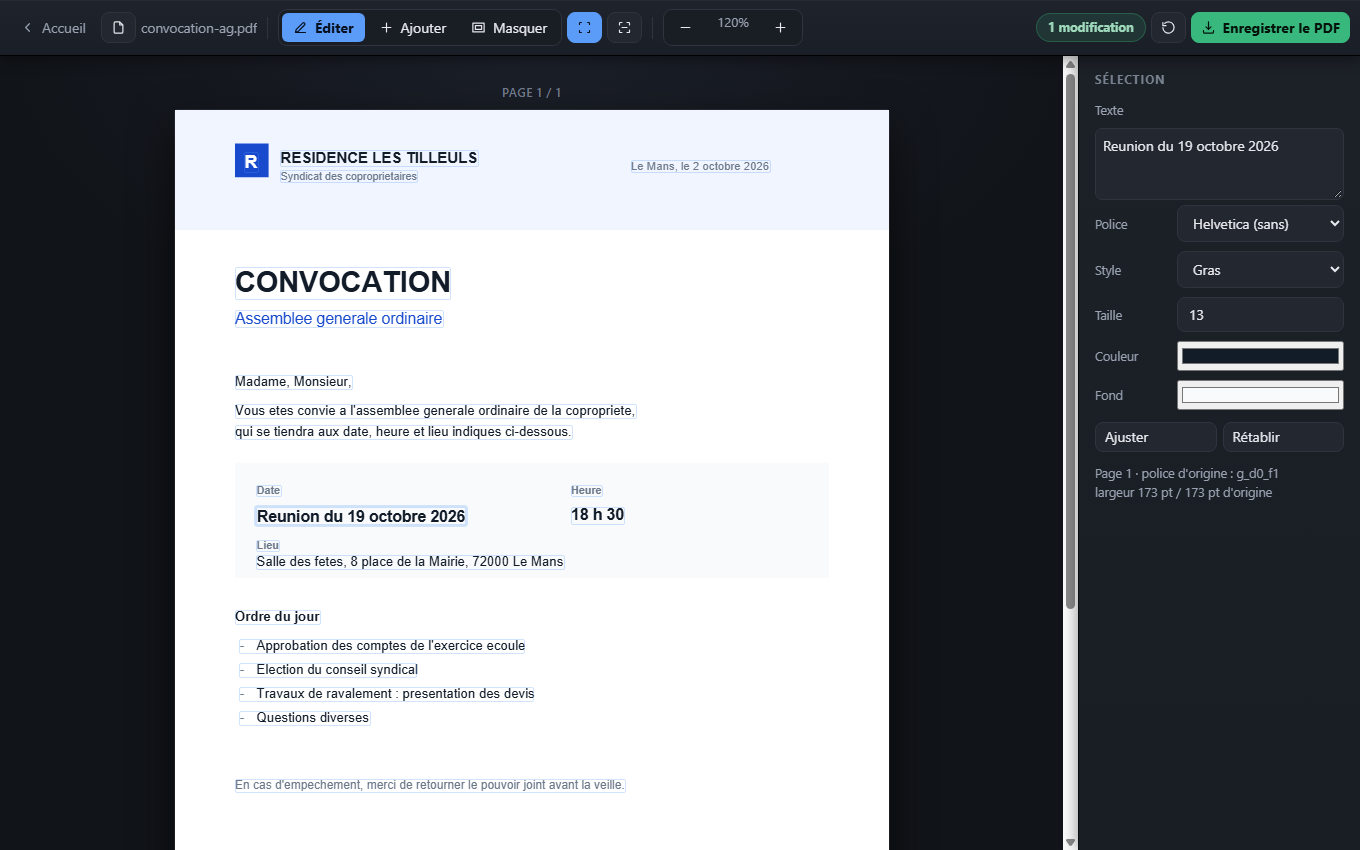
The date was rewritten inside the document, exactly where it was.
The editor
Four moves, one screen
No menu to explore, no option to guess: open the document, click what is wrong, save.
Fix the text
Every line of the document becomes a clickable block. You rewrite it in exactly the same place, with its font and colour found automatically.
Scanned documents too
If the page is an image, character recognition starts on its own when the file opens, and makes every line editable.
Add a note
A date, a reference, a typed signature: place the text where you click, with the font, size and colour you want.
Hide an area
Cover an amount or an address by dragging the mouse. The background colour is read off the page, so the rectangle blends in.
The toolbox
And everything else, in one place
Convert both ways, assemble, extract. Every tool has its own page, with what it keeps and what it drops stated before you begin.
Convert a PDF6 tools
Create a PDF5 tools
Work on the PDF12 tools
Understand a PDF2 tools
What really changes
The paywall is editing the text
Online editors happily let you add text on top of the document. But fixing a line that is already written — the very thing you came for — almost always requires a subscription. And your file left for their servers before you even noticed.
The usual services
- Editing existing text: paid
- Scanned document recognition: paid too
- Your file leaves for a remote server
- Size capped, often at 100 MB
- Account required, or a watermark on the result
Here
- Editing existing text: free
- Scan recognition included, no extra charge
- The file never leaves your browser
- No size or count limit
- No account, no watermark; source code public
Before you start
The questions we get
What does it cost?
Nothing, and there is nothing to buy: no paid tier, no limited trial, no watermark. That includes fixing existing text and reading scanned documents, which online services almost all keep for their paid plans. The reason is simple: for them every document burns server time. Here your own computer does the work, so there is nothing to bill.
Is my file really private?
Yes. The PDF is opened and modified by your browser; no data is sent anywhere. The site contains no server code at all: it could not receive your file even if it wanted to. You can check by cutting your connection once the page has loaded — everything keeps working.
Is hidden text really erased?
No, and that matters: replaced text is covered visually but stays inside the file — a copy and paste can bring it back. To truly remove sensitive data, redact the area then reprint the result as a PDF (Print → Save as PDF): the old text is then gone for good.
Is the original font kept?
The text is rewritten in a close standard font — Helvetica, Times or Courier — picked automatically from the document, with bold detected by comparing the measured width against the font metrics. On a common typeface the result is very close; on a distinctive one the difference shows. The right-hand panel lets you correct it by hand.
Is there a size or page limit?
None imposed. The only constraint is your computer memory, and pages are rendered as you scroll so a thick document stays smooth.
Can I use it offline?
Yes. Once the page has loaded you can cut your internet connection. The code can also be downloaded from the public repository for fully local use, including the small development server needed for character recognition.
Your PDF is waiting
Drop it, fix what is wrong, take the file back. Nothing else to do.
Edit a PDF nowFree, no account, and your document never leaves your computer.